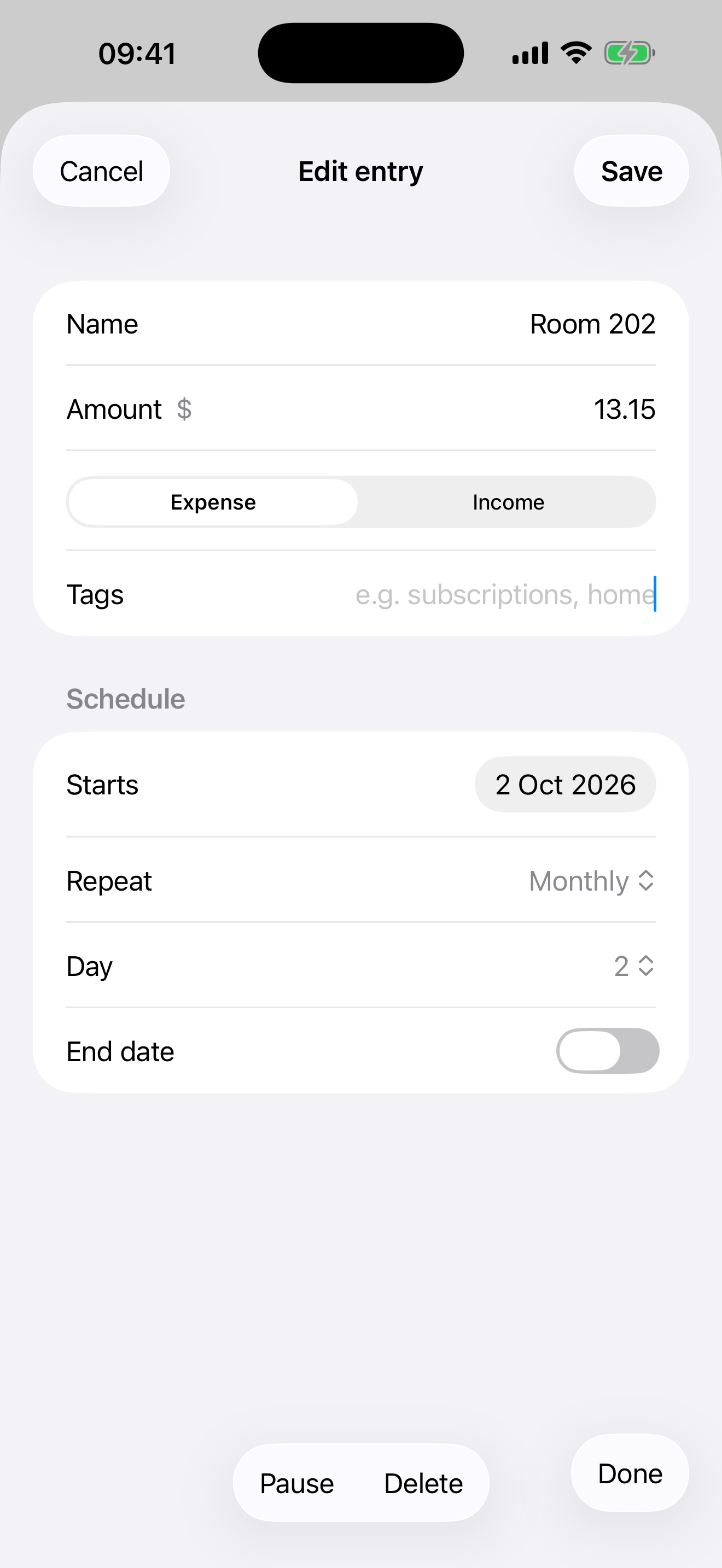
Your day. Your money. Together.

Ask what’s due. Add a dance class. Find time for yourself — with your own AI.

Free native apps · Local-first · Your choice of AI

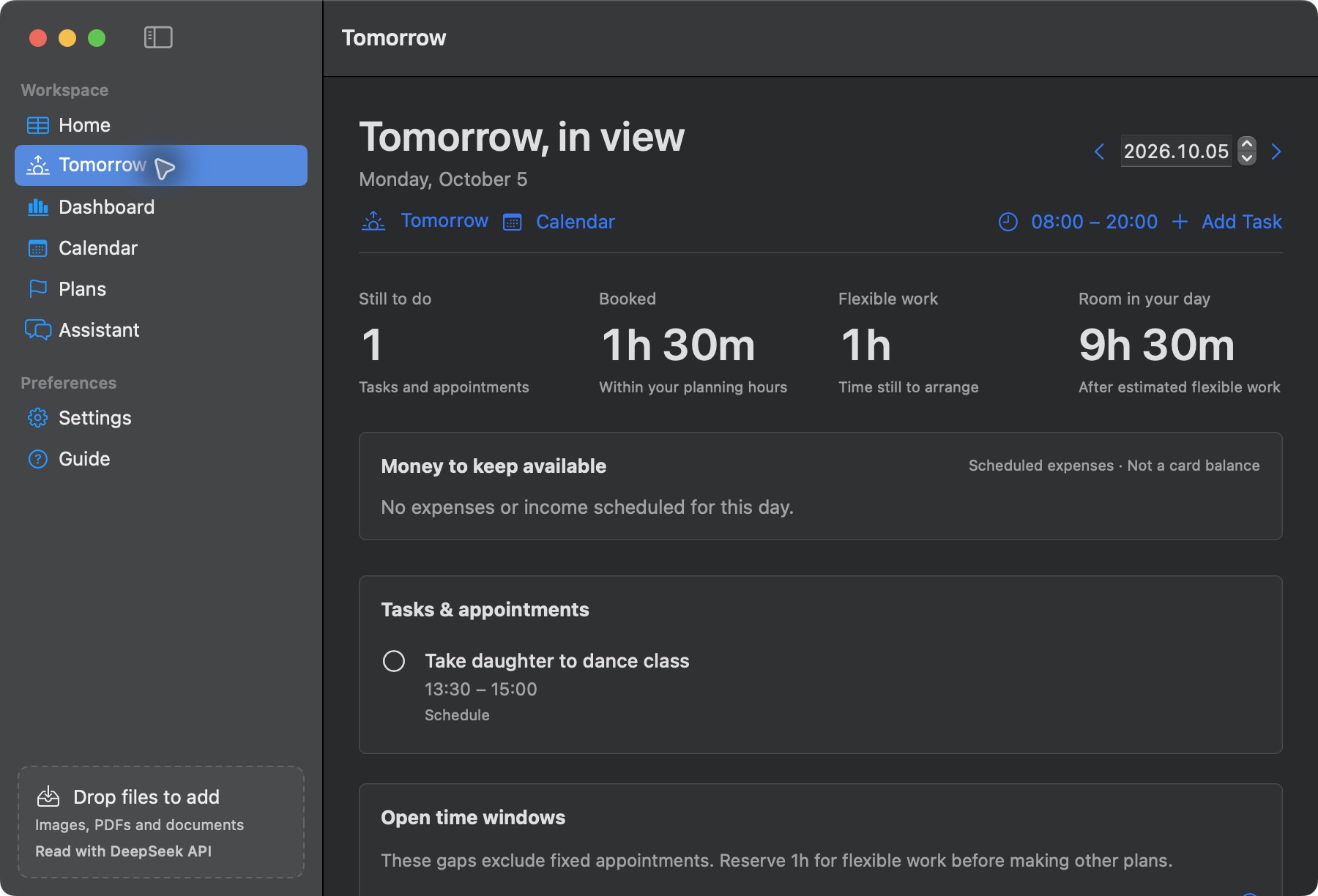
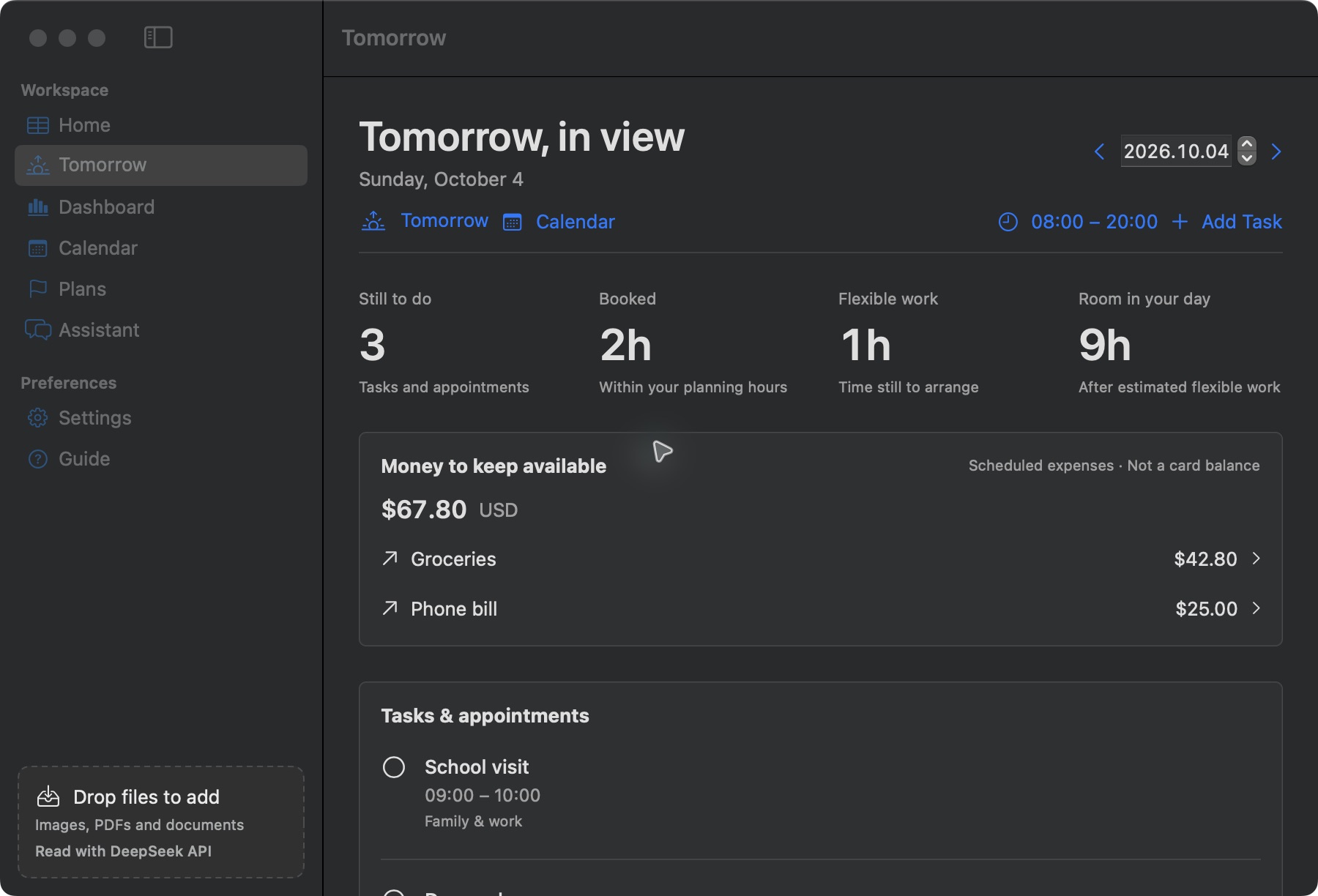
Jours Mac Tomorrow view with the day's tasks, scheduled expenses, booked time and open hours
Mac & iPhone development builds · Interactive sample workspace
Try iPhone entry

ASSISTANT, IN JOURS

From a question
to a clearer day.

It works with your entries, plans, and calendar. Here’s what that looks like in the app.

ASK IN YOUR OWN WORDS

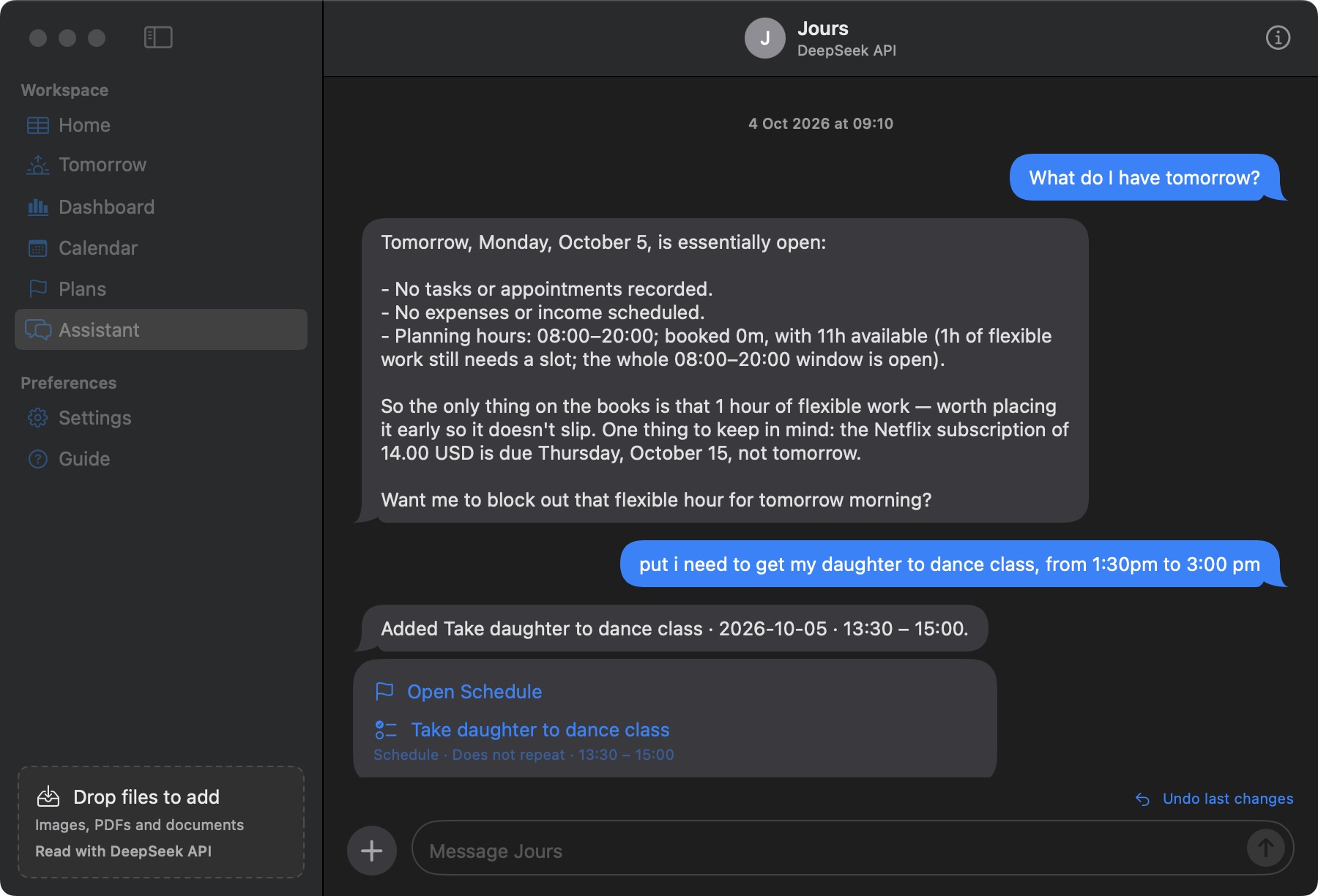
“What do I have tomorrow?”

Tasks, money, and time.
One useful answer.

In this day’s example, Assistant finds the school visit, dance class, and meeting preparation. It brings the $67.80 due into view and spots the longest open stretch.

9 hours available. With one flexible hour still to arrange.
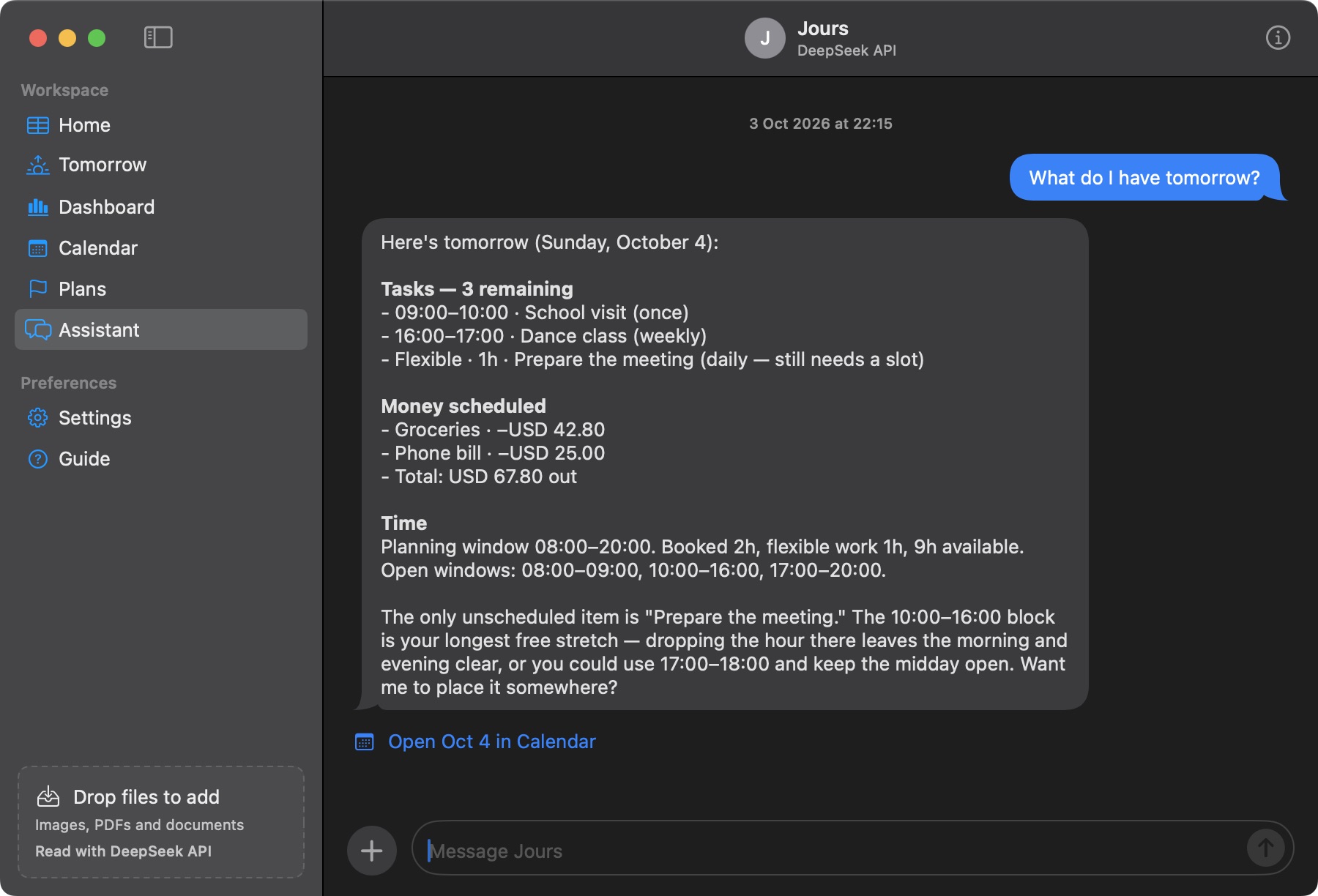
Actual Jours Assistant reply listing tomorrow’s tasks, $67.80 in expenses and 9 hours available
Captured in Jours for Mac · Sample data Click to inspect ↗

These examples were tested in the Mac development app. Connect your AI and allow access to your Jours data to use your own records. The website walkthrough uses local sample data.

Ordinary words.
Useful changes.

Expenses, appointments, repeating plans. They all belong in the same day.

INSIDE JOURS · TOMORROW

Tomorrow,
in one view.

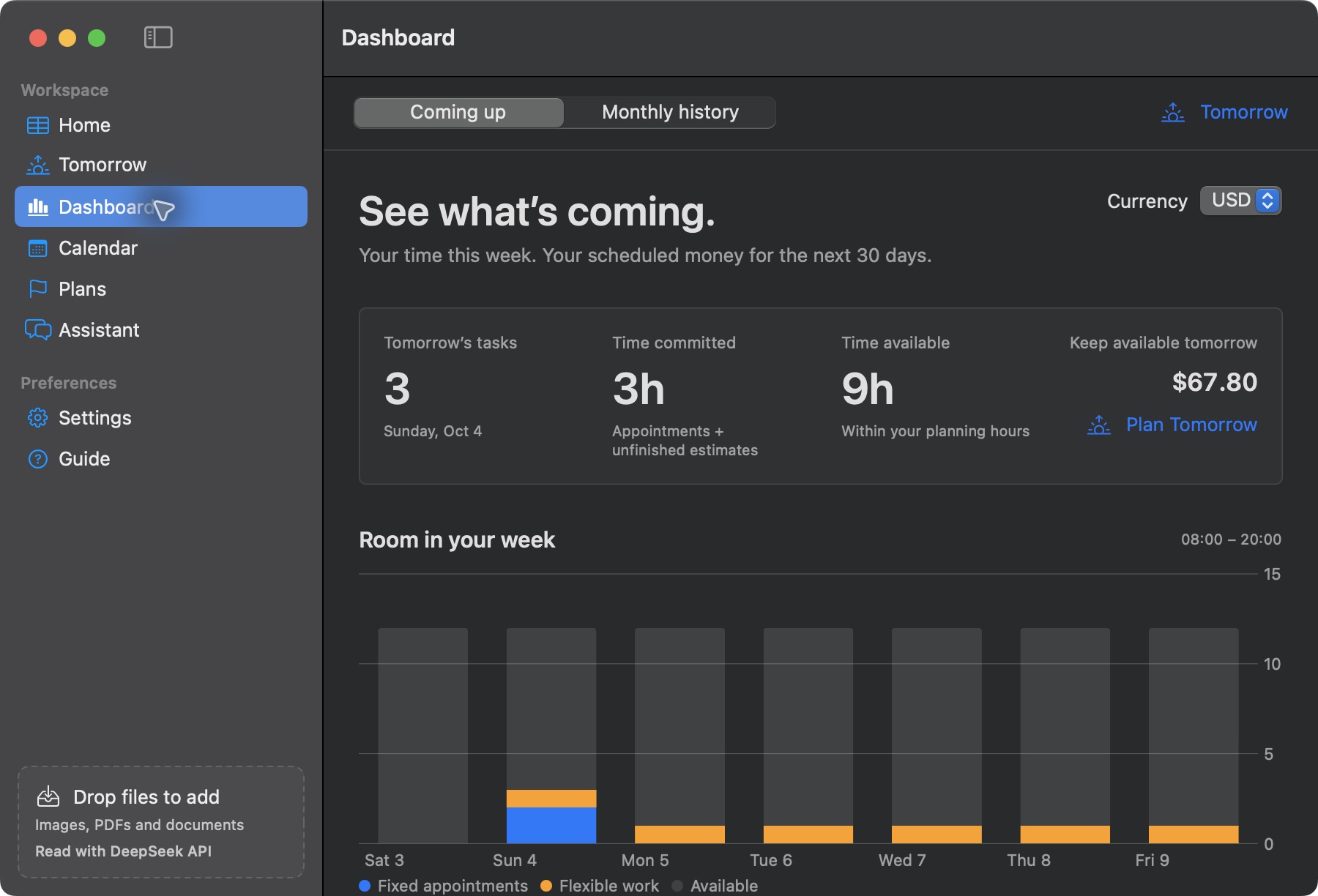
Your tasks. The money due. The time left for yourself. Start with the whole day.

3 tasks · $67.80 due · 9 hours available

Real Mac captures · Sample data

Interactive sample workspace · Changes stay in this page.

Jours Mac Tomorrow view
Tomorrow · Click the app to explore the sample.

01 / 07
Choose a screen to exploreContinue

SEE THE APP

Jours, in action.

Start with your entries. See tomorrow. Ask what’s next.

MONEY, WITH ITS DATES

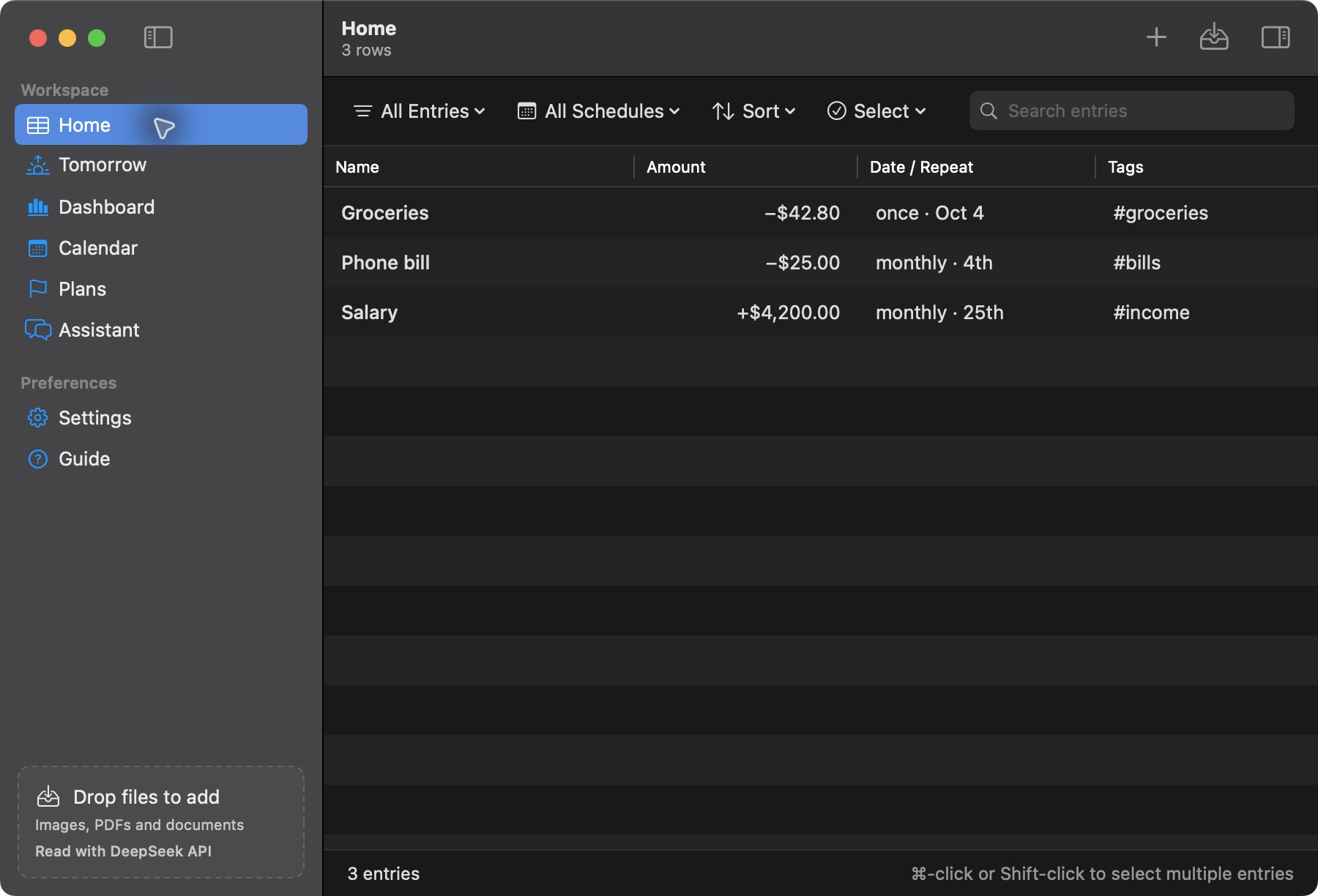
Every bill.
Every next date.

Keep purchases separate from repeating bills. Change a schedule and see the months ahead.

Jours native Dashboard showing scheduled money and planning analytics
Interactive sample · Change a schedule and explore the months ahead

ROOM FOR YOUR DAY

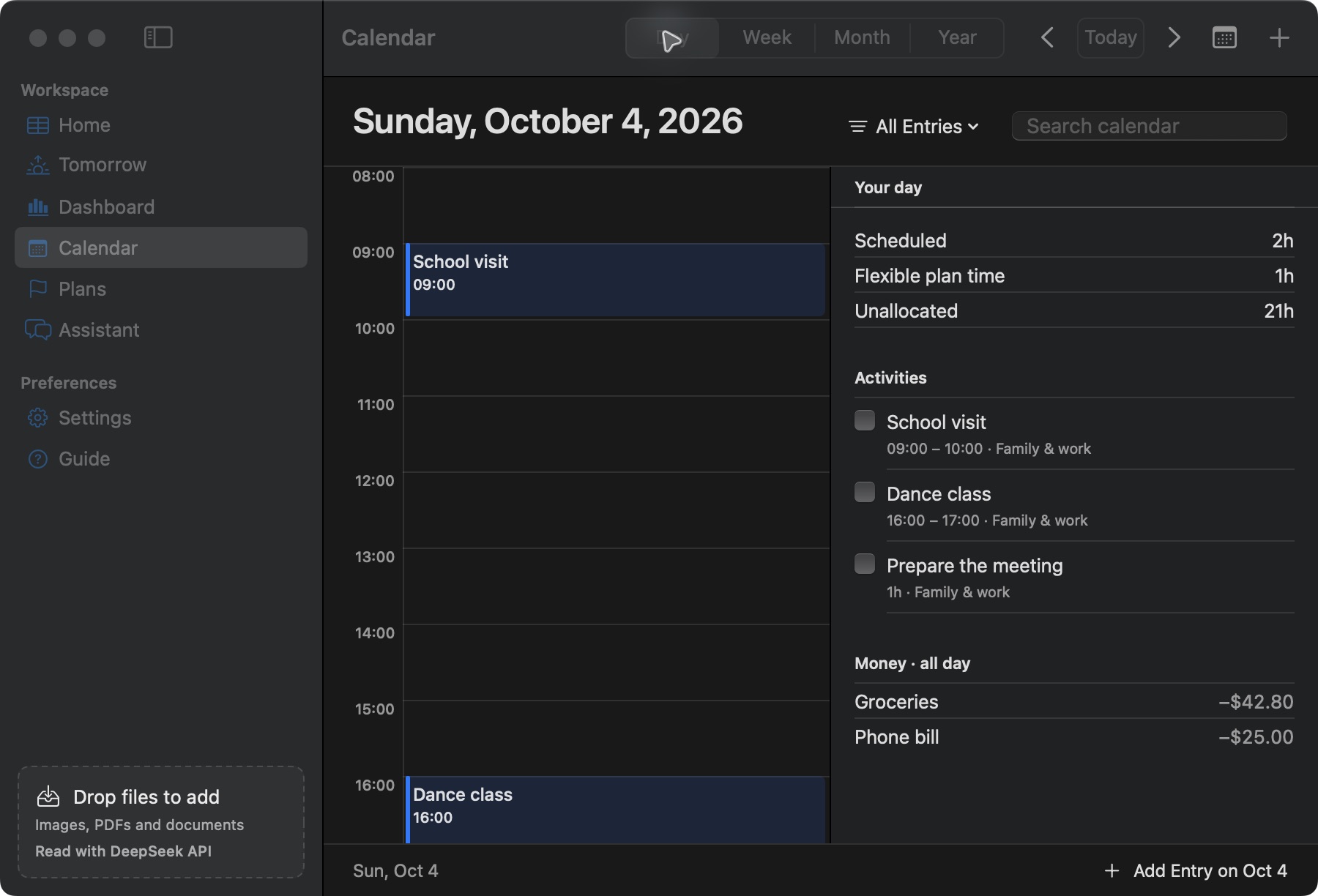
See what’s booked.
And what’s open.

Meetings, school visits, dance classes. See what they leave open in your day.

Jours native Calendar with scheduled activities, expenses and open time
Interactive sample · Click an appointment to edit its time

CAPTURED IN THE MAC APP

Assistant example

Tomorrow

YOUR AI. LESS MANUAL WORK.

Connect.
Drop. Done.

ChatGPT or your preferred API provider.

How import works →
  1. 01

    Connect your AI.

    Sign in or add your provider.

  2. 02

    Add photos or files.

    Drop a batch on Mac. Choose or take photos on your phone.

  3. 03

    Get organized entries.

    Clear results save automatically. Uncertain details come back for review.

Native apps are free. Provider limits and charges apply.

NO TRIAL. NO ADS.

Native apps.
Free.

The native apps are free to use, including Windows and Linux.

  • Your ledger
  • Calendar
  • Plans
  • On-device receipt reading

Web with sync — planned at $5 USD/month. The hosted web plan will include full ledger sync between native apps, including Windows and Linux. The paid plan and full ledger sync are not yet available.

ChatGPT and other connected readers use your own provider account. Their plan limits and any charges apply.

Find Jours for your device

AVAILABILITY

Free on your device.

Available on the App Store. Android closed beta open on Google Play.

Windows and Linux are also in development. Follow release updates →

GOOD TO KNOW

Before you
get started.

ChatGPT, receipt reading, and your data

The native apps keep your ledger on your device and work offline, without an account or ads. Calendar connections and supported import tools are optional. On-device receipt reading is available on supported devices; an AI reader sends selected content to its provider, whose terms and charges apply. Read the privacy policy.

What is free, and what will the web plan cost?

The native apps are free, including Windows and Linux. A hosted web plan is planned at $5 USD/month, including full ledger sync between native apps. The paid plan and full ledger sync are not yet available. Connected AI providers have their own terms, limits, and charges.

Using Jours on several devices

Each native app has its own local ledger. Optional calendar connections do not provide full ledger sync. The current web app stores data with your account on its server and does not sync native ledgers. Full ledger sync between native apps is planned for the $5 USD/month hosted web plan and is not yet available. Check the guide for your platform.

Bank connections, imports, and starter setups

Jours does not automatically connect to bank accounts. Enter your own information or use supported document-import tools, checking the results. Starter setups contain preferences, without your entries or credentials. Browse setups.

What is ready, and what is coming?

ChatGPT sign-in, receipt and document import, the ledger, and repeating dates exist in native development builds. Public releases are being prepared. Assistant, Tomorrow and the new time-and-money analytics are available in the Mac development build. The screenshots and tour show the real native apps using sample data. These additions have not yet been released across every platform. Follow release updates.

Getting started and getting help

Start with one income or expense entry; a budget is not required. The quick guide walks through the first steps. For help, contact support with your platform and app version.